LabVIEW Machine Monitoring System for Indian Factories: 7-Step Guide

By the MeasureMint Technologies team, Ahmedabad
Quick answer: A LabVIEW machine monitoring system puts sensors on your machines and sends their vibration, temperature, current and output data to LabVIEW software in real time. You see problems on a screen, or get an alert on your phone, before they become a breakdown. It cannot promise zero stoppages, but it turns most surprises into planned maintenance.
In this guide
- What is a LabVIEW machine monitoring system?
- Why production lines break when demand peaks
- What does downtime really cost?
- How it works
- Why LabVIEW for this?
- What should you monitor?
- “Real time” doesn’t mean instant
- What if your machines are old?
- Built for Indian shop-floor conditions
- From alerts to OEE and downtime tracking
- Condition monitoring and predictive maintenance
- LabVIEW or ready-made IoT software?
- The 7-step rollout
- Pre-peak-season checklist
- Common mistakes to avoid
- What it cannot do
- Cost in India
- Our experience
- LabVIEW vs SCADA
- FAQs
It is the busiest week of the quarter. Big orders are waiting, the second shift has been extended, and the sales team has already asked twice if the dispatch can leave by Friday. At 11 pm, the main press gets very hot, trips, and does not start again.
If you run a plant in Gujarat, Maharashtra, Tamil Nadu or anywhere in India, you may know this evening well. The painful part is that a machine rarely fails without a warning. A bearing makes a little more noise for three weeks. A motor takes a little more current every day. Nobody notices, because nobody, and nothing, is watching.
A LabVIEW-based monitoring system fills this gap. Sensors collect the machine data, LabVIEW data acquisition hardware and software record it, and LabVIEW real time monitoring shows you the problem on the screen before the machine stops. In this article, we explain in simple words what it is, how it works, what you should measure, how it helps in peak season, and what it cannot do. You will also get a checklist that you can start using this week.
What is a LabVIEW machine monitoring system?
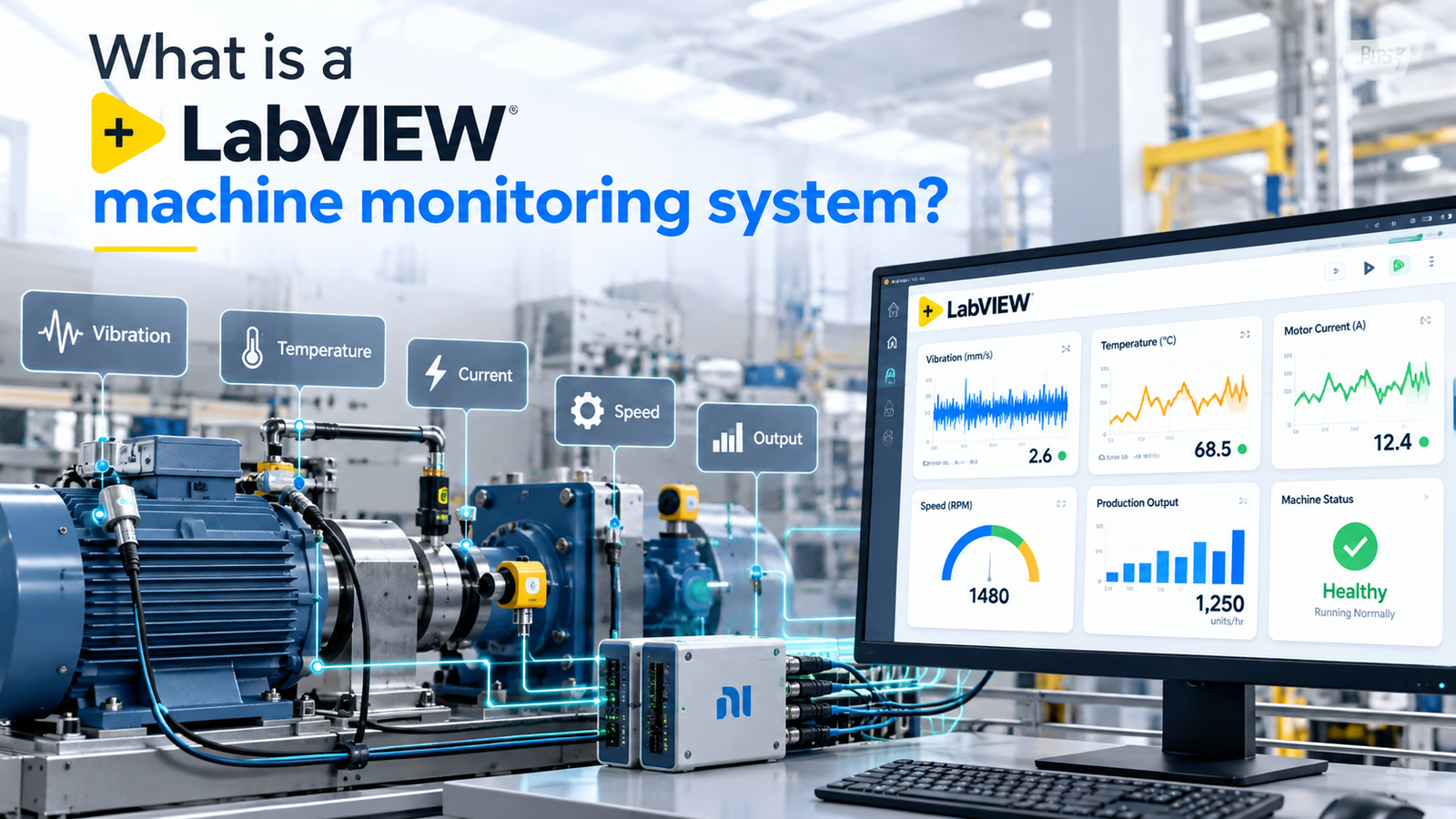
A LabVIEW machine monitoring system is a set of sensors, data acquisition hardware and LabVIEW software that keeps an eye on your equipment all day and night. It records what each machine is doing, compares that with what is normal, and tells people when something drifts.
You will hear it called machine health monitoring, equipment monitoring or, on the production side, a factory monitoring system. The names change, the idea doesn’t. Sensors collect signals, software makes sense of them, and a person gets a clear message at the right time.
It is also different from a SCADA system. SCADA stands for Supervisory Control and Data Acquisition, and it is mainly about supervising and controlling a process. The two often work together, and a LabVIEW SCADA application can sit on the same data. Monitoring is about understanding the health and output of the machine itself, usually in more detail and at faster speeds.
Why production lines break when demand peaks
There’s no mystery here. Every plant has a peak period when it pushes hardest, and most of the usual reasons for breakdowns show up together.
- Machines run longer. Extra shifts mean bearings, motors, gearboxes and belts spend more hours hot and loaded.
- Maintenance gets pushed back. “We’ll do it after this order” is said in almost every plant, and the schedule slips quietly.
- New hands on the floor. Temporary operators and trainees are common in peak season, and small handling mistakes add up.
- Power quality suffers. Higher load on the same supply means more voltage dips and heat in panels and motors.
- Nobody has time to walk the line. The supervisor who used to notice an odd sound is now busy chasing dispatch.
None of this means breakdowns are inevitable. It means the margin for surprise is smallest exactly when the cost of surprise is highest. A LabVIEW machine monitoring system helps you win that margin back.
What does downtime really cost?
Let us take an example with round numbers. These are only for illustration, so please replace them with your own numbers.
Suppose a packaging line makes 600 units in one hour, and you earn about Rs 40 contribution on each unit. That is Rs 24,000 for every hour the line runs. If the line stops for six hours, you lose Rs 1.44 lakh. And this is before overtime to catch up, urgent courier charges, or a distributor who gives your next order to someone else.
In peak season, there is one more cost that does not show in any spreadsheet. If you miss the delivery date, the order often does not move to next month. It simply goes away.
To understand the scale, Siemens’ 2024 report on the true cost of downtime says that the world’s 500 largest companies lose about $1.4 trillion every year because of unplanned downtime. This is around 11% of their revenue. Your plant is much smaller, but the pattern is the same at any size: one hour of lost production usually costs far more than the repair itself. The same report says that an average large plant still loses around 27 hours every month to unplanned stoppages.
To find your own number, add these four things for every hour a line is stopped: the profit on the output you could not make, wages paid to idle workers, recovery costs like overtime and urgent freight, and hidden costs like scrap when the machine restarts. Multiply the total by the hours lost. Most owners are surprised by the answer.
A LabVIEW machine monitoring system makes this number visible hour by hour. It records every stop with its start time and duration, and shows the stoppage on the screen as it happens, so you do not depend on handwritten shift sheets.
How a LabVIEW machine monitoring system works
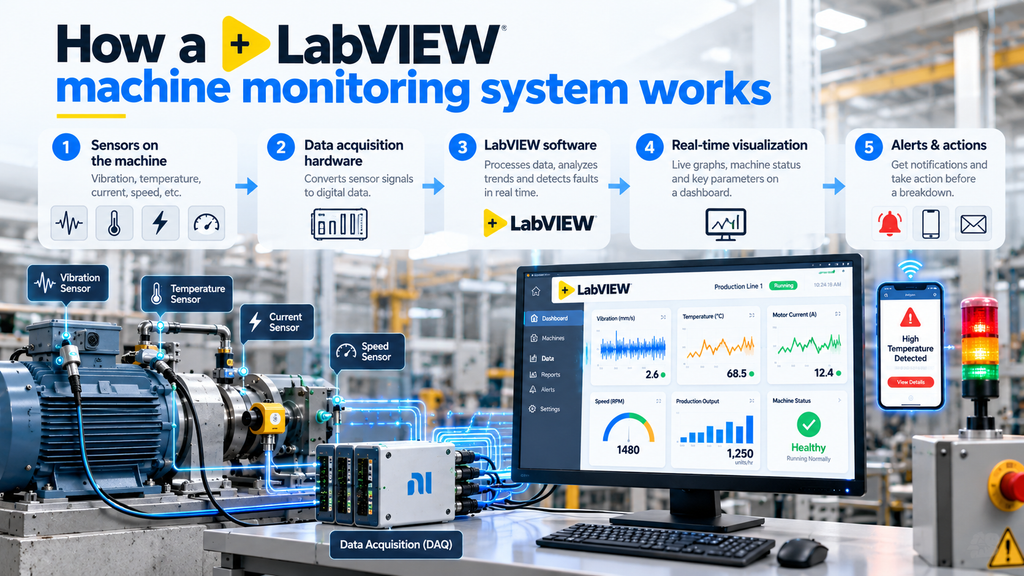
A LabVIEW-based system enables real-time machine monitoring by collecting sensor data, processing operating parameters, and displaying machine performance through an interactive dashboard. Although the setup may look complicated, it works through four key steps: data acquisition, signal processing, real-time visualization, and alerts or data logging.
1. Sensors on the machine. Accelerometers or a wireless vibration sensor for motors and gearboxes, thermocouples or RTDs for temperature, current clamps for motor load, and proximity sensors or encoders for speed and part count.
2. Data acquisition hardware. This converts the sensor signals into digital data. Temperature can be read once a second. Vibration needs thousands of readings per second, and some applications go much higher. We build LabVIEW data acquisition systems that run anywhere from 1 Hz to over 1 MHz depending on what the machine needs.
3. LabVIEW software. This is where the raw data becomes useful. The software filters noise, runs analysis such as FFT for vibration, checks readings against limits, stores history in a database, and creates reports, for example with the LabVIEW Report Generation Toolkit.
4. Dashboard and alerts. A machine dashboard on a screen near the line shows live status in simple colours. When a reading crosses a limit, the system sends an alert by email, SMS or a messaging app, depending on how you set it up.
What should the dashboard show? Keep it boring on purpose. Each machine gets one tile in green, amber or red, with output against target, the last stop and how long it lasted, and a trend line for the main health signal such as vibration or temperature (a LabVIEW waveform chart suits this well). A supervisor should be able to read it from across the shop floor. The detail, such as vibration spectrum plots and history, sits one click deeper for the maintenance team. At the end of each shift the system can also produce a short report, so nobody has to rebuild the day from memory.
Use two alert levels, not one. A warning means “plan to look at this within a shift or two”. An alarm means “go now”. If every alert is urgent, people soon stop reacting to any of them. Set this up from day one.
Why LabVIEW for this?
What is LabVIEW used for? Mostly measurement, test and automation. LabVIEW graphical programming replaces lines of text code with connected blocks, which many engineers find quicker to build with. For machine monitoring, it has three practical advantages.
First, it handles fast signals well, so the same platform can monitor a slow temperature and a high-speed vibration at once. Second, it’s flexible. If your machine is unusual, and many Indian plants have machines that are one of a kind, the software can be shaped around it instead of forcing the machine into a template. Third, the same skills and software can later be reused for test benches and automated test equipment, so you are not locked into a one-purpose tool. That is a real reason to choose a custom LabVIEW system over a fixed product.
What should you monitor?
Start with the machines that hurt most when they stop. Then pick the signal that gives early warning for that type of machine. The table below shows what a LabVIEW machine monitoring system would measure on each.
| Machine | What to measure | What it warns you about |
|---|---|---|
| Motors, pumps, fans, gearboxes | Vibration and temperature | Bearing wear, misalignment, imbalance, loose mountings |
| Compressors, boilers, hydraulic units | Pressure and temperature | Leaks, overheating, falling pressure |
| Conveyors and packaging lines | Speed, count, motor current | Jams, belt slip, slow running, hourly output |
| CNC machines and presses | Spindle current, cycle count | Tool wear, idle time, cycle time drift |
| Gensets and electrical panels | Voltage, current, temperature | Overload, phase problems, hot spots |
This is the idea behind a vibration monitoring system for bearings, which is something we work on directly. Our Vibramint system measures multi-frequency vibration on bearings so wear shows up in the data well before the sound changes. Even a simple real time temperature monitoring setup with an overheat alert on a motor or panel can save an entire shift.
How do you know what vibration level is too high?
Engineers don’t guess. The ISO 20816 family of standards, which replaced the older ISO 10816 series, gives guidelines for judging machine vibration. It sorts vibration severity into four zones. Zone A is a newly commissioned machine in good condition. Zone B is acceptable for long-term running. Zone C means the machine should only run like that for a limited period. Zone D means the vibration is severe enough to cause damage.
The limits depend on the size and type of machine and how it is mounted, because a large turbine and a small pump motor tolerate very different absolute levels. In practice, these zones become the starting point for your warning and alarm levels, which are then tuned to each machine’s own baseline and how critical it is to production.
“Real time” doesn’t mean instant
This confuses a lot of buyers, so it’s worth a minute. Real time means the system responds within a known, fixed amount of time, every time. It doesn’t mean as fast as possible. That is why LabVIEW Real Time, often shortened to LabVIEW RT, runs on dedicated controllers when timing has to be predictable.
A furnace temperature checked every second is perfectly real time for that job. A bearing needs far faster sampling to catch a developing fault. The right speed depends on the machine, and asking your vendor “how fast do you sample and why?” is a good test of whether they understand your application.
What if your machines are old?
Most Indian factories run a mix of new and older machines, and many have no data port at all. That’s fine. This is often called brownfield IoT, and it simply means adding monitoring to equipment that is already installed.
We attach external sensors to the machine, so there’s no need to open the control system or change how the machine is operated. Where a PLC exists, we can also read its data through standard industrial protocols, using LabVIEW Modbus or LabVIEW OPC UA communication. This is part of our industrial system integration work. Start with three to five critical machines, learn from them, and expand your LabVIEW machine monitoring system once the team trusts the numbers.
Built for Indian shop-floor conditions
A system that works in a clean lab can struggle on a real factory floor. These are the details that decide whether your monitoring still works in its second year:
- Dust, heat and oil. Choose sensors and enclosures with a suitable ingress protection (IP) rating for the spot where they will sit, and keep the data acquisition unit in a cabinet, not on top of the machine.
- Power dips and cuts. Put the acquisition hardware and the PC on a UPS or a stable industrial supply, so a short outage doesn’t create gaps in your data.
- Electrical noise. Large motors and variable frequency drives create noise that can corrupt small sensor signals. Shielded cables and proper earthing are not optional.
- Sensor mounting. A loosely stuck vibration sensor gives misleading data. Mount it firmly, in the same spot and direction each time, so readings stay comparable from week to week.
- Language and layout. Dashboard labels can be shown in Hindi or Gujarati and kept simple, so an operator can understand them in a second.
- Local storage. Keep a local copy of the data so monitoring continues even if the network or internet goes down.
From alerts to OEE and downtime tracking
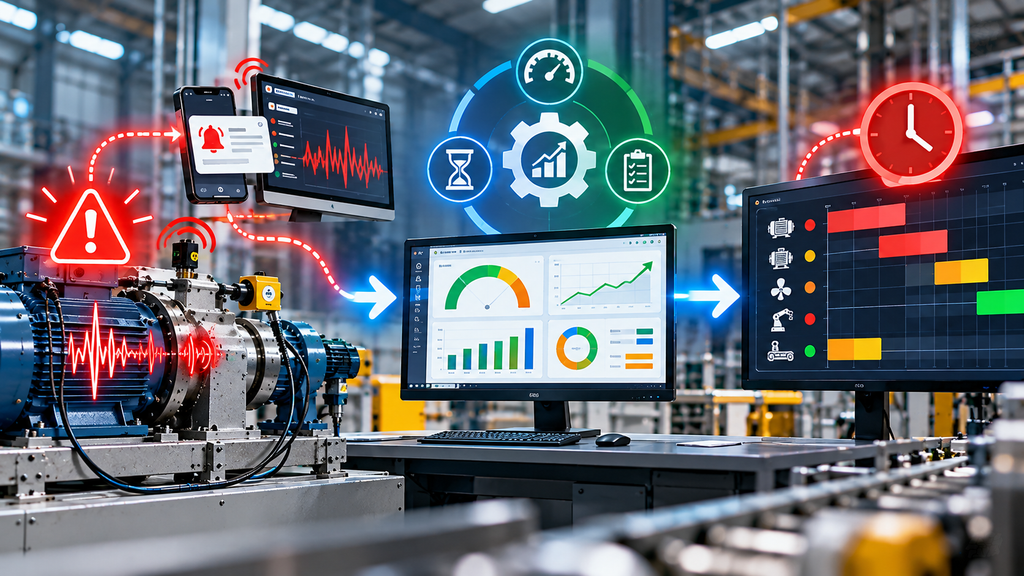
Breakdown alerts are the first benefit of a LabVIEW machine monitoring system. The second, which many plants find even more valuable, is machine downtime tracking.
OEE (Overall Equipment Effectiveness) is the standard measure for how well a machine is used. It multiplies three things: availability, performance and quality. An OEE dashboard calculates this automatically from machine data, so you stop relying on handwritten shift sheets.
When people see real numbers, the picture often surprises them. The biggest loss is not always a major breakdown. It’s frequently a thousand small stops and slow running that nobody records. It also ends the old argument between production and maintenance, because both teams are looking at the same record of machine uptime.
What is a good OEE score? The figure quoted most often is 85% for a world-class plant. It comes from multiplying 90% availability, 95% performance and 99% quality, and around 60% is commonly cited as typical for discrete manufacturing. Treat these as rough guides only. Benchmarks vary by industry and by how a plant counts downtime, so your own starting point matters more. For example, a line with 85% availability, 90% performance and 98% quality runs at about 75% OEE (0.85 × 0.90 × 0.98). The goal is to see that number rise month after month.
Condition monitoring and predictive maintenance
Most plants still maintain machines by the calendar: change the bearing every six months whether it needs it or not. A condition monitoring system lets you maintain by condition instead. You replace the part when the data says it is wearing out.
That is the core of predictive maintenance in the manufacturing industry, and a LabVIEW machine monitoring system is one practical way to do it. Done properly, it means fewer emergency stops, fewer unnecessary part changes and maintenance scheduled for quieter days.
A fair warning, though. It isn’t a crystal ball. The system needs a few weeks of normal operation to learn what healthy looks like for each machine. Expect that learning period at the start, and don’t judge it by its first week.
LabVIEW or ready-made IoT software?
Both have a place, and an honest vendor will tell you so.
Ready-made machine monitoring software is quick to start and works well for standard needs such as counting parts or tracking on and off status. Its limits show up with unusual machines, fast signals like vibration, and when you want the software to fit your process rather than the reverse.
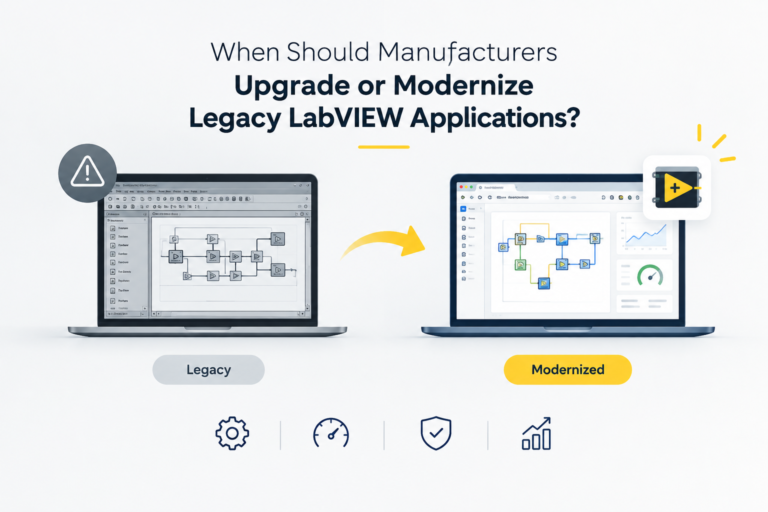
A custom LabVIEW machine monitoring system takes more engineering effort up front, but it can handle high-speed data, custom logic, your own reports and links to test equipment. It can also work as an IoT based machine monitoring system, sending data to a cloud dashboard when you want remote access. You also end up with software designed around your plant. The trade-off is that you depend on a capable developer, so choose one who documents the work and stays reachable. Older installations can also be refreshed, as we explain in our post on modernizing legacy LabVIEW applications.
The 7-step rollout
A sensible rollout is gradual, and each step builds on the one before.
- Site visit and machine list. Rank your machines by what a stoppage costs you, and pick the first few.
- Choose the signals. Pick one early-warning measurement per machine: vibration, temperature, current or count.
- Pilot installation. Fit sensors and acquisition hardware on one machine or one line, and bring the live data to a screen.
- Baseline period. Let the system run for a few weeks of normal production, so it learns what healthy looks like for each machine.
- Set alert levels with your maintenance team. Start from the standards and the baseline, then adjust using their experience.
- Train the team and assign owners. Decide who receives each alert and what they are expected to do.
- Review and expand. Check what the data caught, fix what needs fixing, and add machines once the team trusts the numbers.
Your pre-peak-season checklist
If your busy period is only weeks away, you will not install a full system on every machine. Here’s a realistic order of work.
- List your five most critical machines. Choose the ones that stop the whole line when they fail.
- Look at the last breakdowns. Note what failed, how often, and what the early signs were.
- Pick one measurement per machine. Vibration for rotating parts, temperature for heat-prone ones, current for motors, count for output.
- Start with a pilot on one line. Prove it works before spreading it.
- Set alert limits with your maintenance team. They know what normal feels like.
- Decide who gets the alert. An alert nobody reads is the same as no alert.
- Review the data every week. Fifteen minutes with the maintenance lead is enough.
Common mistakes to avoid
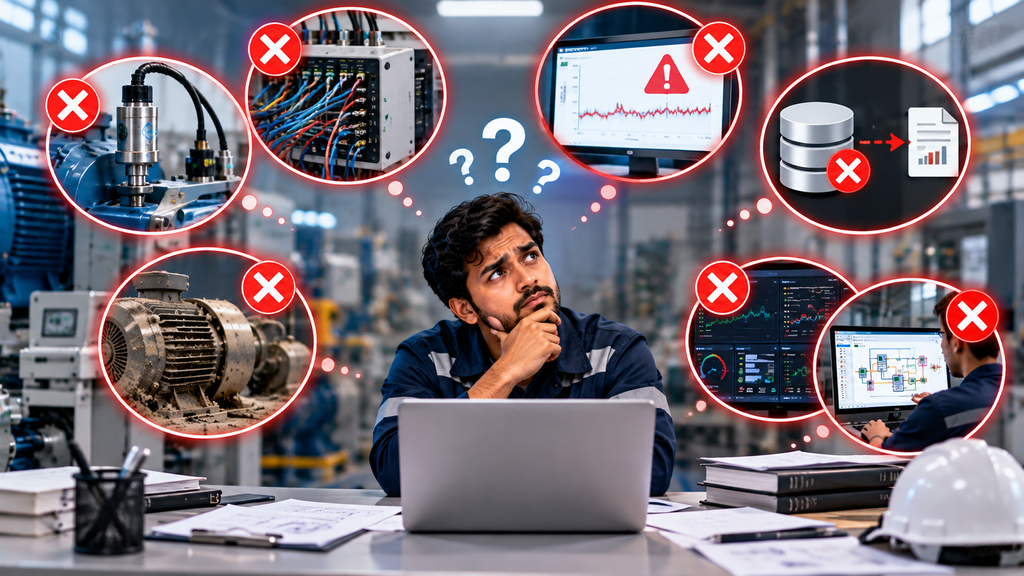
- Monitoring everything at once. Start with the few machines that hurt most, and expand after the pilot works.
- Copying alert limits from a brochure. Limits need to reflect each machine’s own baseline, otherwise you get false alarms or silence.
- No owner for alerts. Decide who receives each alert and what they are expected to do.
- Poor sensor placement. The best software cannot fix data from a badly mounted sensor.
- Ignoring the operators. The person running the machine often notices a change first. Ask what they hear and feel, and use it to set alert levels.
- Never reviewing the data. A weekly 15-minute review is what turns data into fewer breakdowns.
What a LabVIEW machine monitoring system cannot do
We’d rather say this now than have you find out later. No monitoring system can guarantee zero breakdowns. A sudden power surge, a wrong operator action or a defective part can still stop a machine with no warning at all.
What it does is shrink the number of surprises, turn emergencies into planned stops and give your team facts instead of guesses. In a peak season, that difference is often the whole game.
What does a LabVIEW machine monitoring system cost in India?
The honest answer is that it depends, because no two plants need the same thing. The cost is driven by:
- how many machines you cover
- how many signals each machine needs
- how fast the data must be sampled
- which sensors are required (vibration sensors cost far more than temperature probes)
- how much custom dashboard, alerting and reporting work you need
Scope usually falls into three levels. A single-machine pilot is the smallest and quickest to deliver. A single-line system covers several machines with a shared dashboard and OEE. A plant-wide rollout adds more lines, central reporting and integration with your PLCs or other systems. The most reliable way to get an exact figure is a short site visit followed by a written quote. For LabVIEW licence pricing, check NI’s official website.
Whatever you decide, ask for a pilot on one line first. It keeps the risk small and shows you the value in your own plant, with your own machines.
Our experience at MeasureMint
We are an Ahmedabad based test, measurement and industrial automation company, with more than ten years of experience and over 100 installations. Our monitoring and data acquisition work includes a 16-channel voltage and current acquisition system sampling at 1 MHz, a pressure impulse testing system at 50 kS/s, and the Vibramint bearing vibration system. Condition monitoring and predictive maintenance are part of what we do every day. You can see the full range on our LabVIEW software development services page.
LabVIEW machine monitoring system vs SCADA: what is the difference?

Many plants ask if they need a SCADA system or a LabVIEW machine monitoring system. Here is a simple comparison.
| Point | SCADA | LabVIEW machine monitoring system |
|---|---|---|
| Main job | Supervise and control the process | Watch the health and output of each machine |
| Focus | Whole plant status, set points, start and stop | Machine details like vibration, temperature and current |
| Data speed | Usually process values at slower rates | Can go from 1 Hz to over 1 MHz with LabVIEW data acquisition |
| Controls the machine? | Yes, it can send commands | Usually no, it observes and alerts |
| Works with | PLCs and field devices | External sensors, and PLC data through Modbus or OPC UA |
| Typical users | Operators and control room staff | Maintenance and reliability teams |
| Best for | Running the process day to day | Catching faults early and tracking downtime and OEE |
You do not have to choose one. Many plants use SCADA to run the process and a monitoring system to protect the machines inside it.
Frequently asked questions
What is a LabVIEW machine monitoring system and how does it work?
It is a combination of sensors, data acquisition hardware and LabVIEW software. The sensors collect data like vibration, temperature and current from your machines. The software checks this data in real time and alerts your team when something looks wrong.
How much does a LabVIEW machine monitoring system cost in India?
The cost depends on the number of machines, the signals you want to measure, the sampling speed and how much software customization you need. A pilot on a single line is the sensible starting point. Contact us for a quote based on your machines.
Can a machine monitoring system work with old machines and PLCs?
Yes. External sensors can be added to older machines without changing their controls. If your machine has a PLC, we can also read its data using LabVIEW Modbus or LabVIEW OPC UA communication.
Do I need to know LabVIEW programming to use a machine monitoring system?
No. Your operators only see a simple dashboard. We handle the LabVIEW development, and we train your maintenance staff to read the screens and alerts.
What is the difference between a machine monitoring system and SCADA?
SCADA means Supervisory Control and Data Acquisition. It is mainly used to supervise and control a process. A LabVIEW machine monitoring system focuses on the health and performance of the machine itself, often at higher speed and in more detail. Many plants use both together, and a LabVIEW SCADA application can sit on the same data.
Does a LabVIEW machine monitoring system need internet?
Not necessarily. The system can run fully inside your factory network. Internet is needed only if you want remote access or phone alerts, for example with LabVIEW MQTT messaging to a cloud dashboard.
How long does a LabVIEW machine monitoring system take to show results?
You get live dashboards, downtime records and output counts from the first day. Early-warning alerts for problems like bearing wear need a few weeks of normal running first, so the system can learn what a healthy machine looks like.
What alerts does a machine monitoring system send to the maintenance team?
Most plants use two levels: a warning, which means plan a check, and an alarm, which means act now. Alerts can show on a screen on the shop floor and go to the right people by email, SMS or a messaging app.
What are the benefits of a machine monitoring system for factories in India?
You get fewer surprise breakdowns, maintenance planned for quieter days, and real downtime and OEE numbers instead of handwritten shift sheets. In peak season, this can save an entire shift.
What can a machine monitoring system measure?
Common signals are vibration, temperature, motor current, pressure, speed and output count. The right signal depends on the machine. For example, vibration works well for bearings and temperature for panels and motors.
Get your lines ready before the rush
Don’t wait for the 11 pm call. Talk to our team about a pilot LabVIEW machine monitoring system for your plant. Call +91 81400 76697, email business@measureminttech.in, or request a free consultation.
Related reading: How LabVIEW Helps in Test, Measurement & Control · LabVIEW Software Development Services · Data Logging & Monitoring Systems · Industrial System Integration